Shared Email Templates & Signatures for Gmail

Reply faster and stay consistent. Share approved templates and branded signatures with your team, right inside Gmail.

  • Team Collaboration
  • Auto-Fillable Fields
  • Sheets & Drive Integration
  • Email Signatures

60-day free trial. No credit card required.

Works onWindowsGoogle ChromeMicrosoft EdgemacOSGoogle Chrome

Privacy-First

Templates are encrypted and available only to your account or team. Emails go out from your own Gmail, and your files stay in Google Drive.

  • Encrypted templates
  • Team passwords never stored on our servers
  • We do not see what you send

Features you won’t find elsewhere

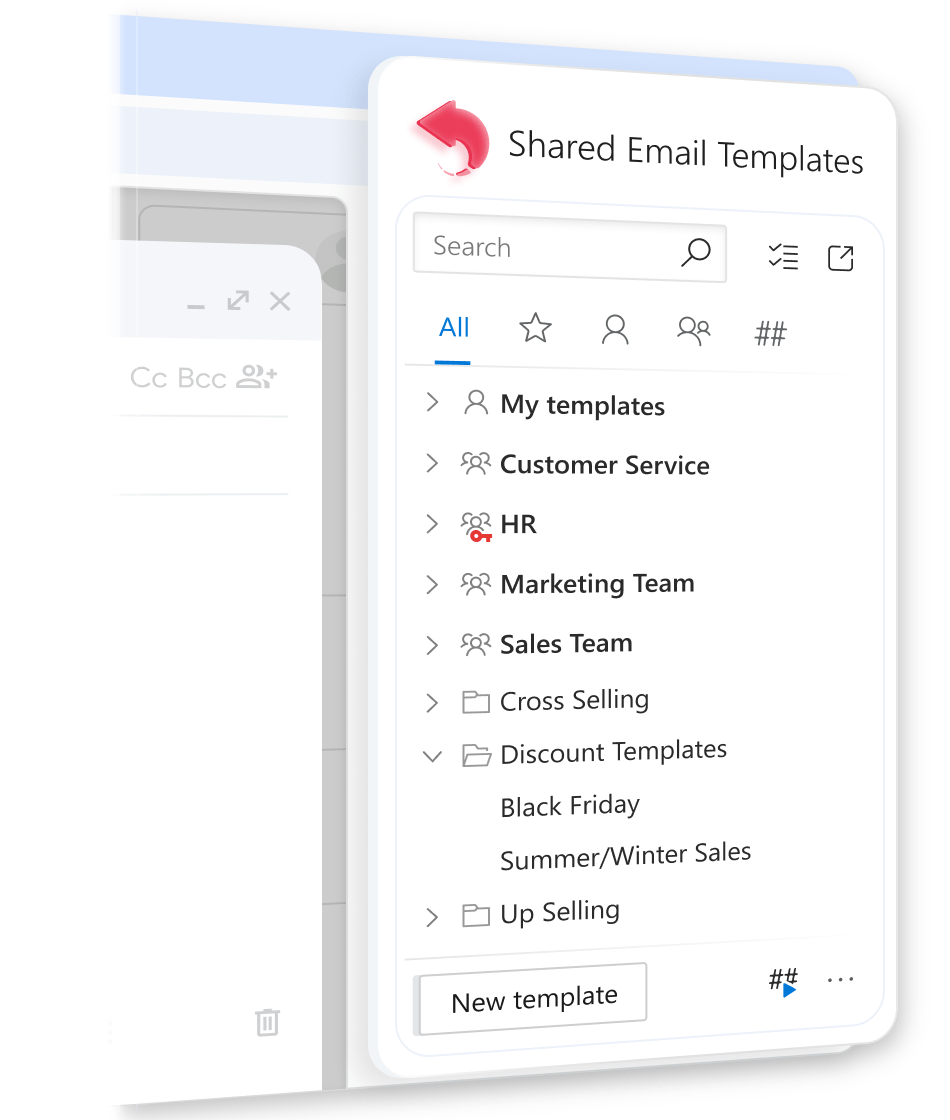
Keep your templates organized with the help of an integrated Gmail template hub.

Integrated template manager

Keep all your templates right inside your Gmail sidebar.

  • Organize templates in personal or shared folders
  • Find any template instantly with quick search
  • Add your most-used templates to favorites

Personalized templates

Insert a template and the email is already personal.

  • Greet each recipient by name, or switch to a group greeting
  • Pre-fill subject lines based on recipient data
  • Rotate closing lines so replies don’t sound copy-pasted
  • Add your CRM’s Bcc address to every email automatically

Fillable fields

Pick or type the details right as you insert the template.

  • Add text inputs, dropdowns, and date and time pickers
  • Fill in a quick form to tailor each email in seconds
  • Cover twenty variations with a single template
  • Catch the blanks before “Hi [NAME]” goes out
Use condition logic and macros in your templates for every scenario.

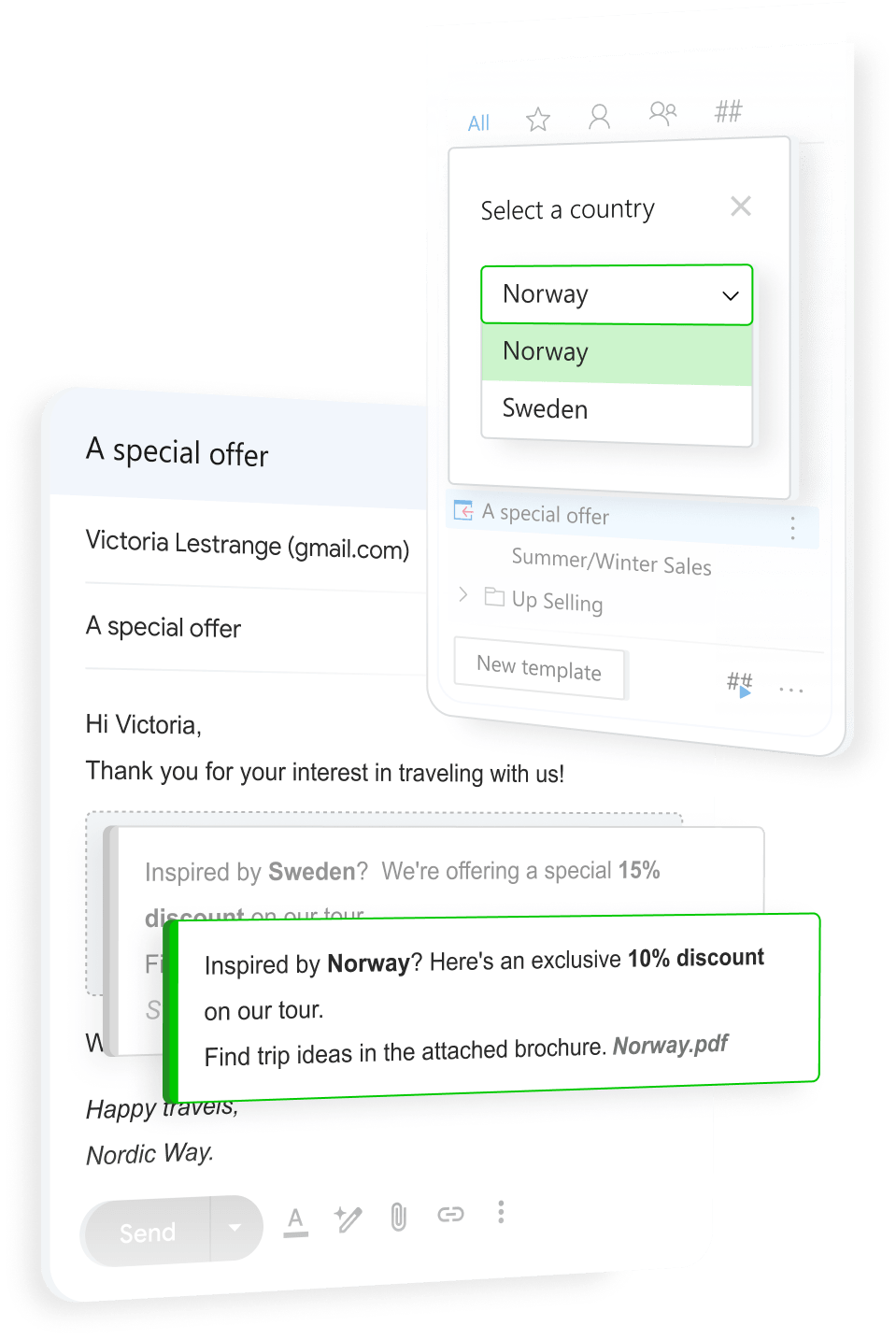
Conditional content

One template, different text for each case.

  • Show a paragraph, list, or table only when it applies
  • Set a condition, like a subject that mentions a volume discount
  • Drop the “with discount” and “without discount” copies
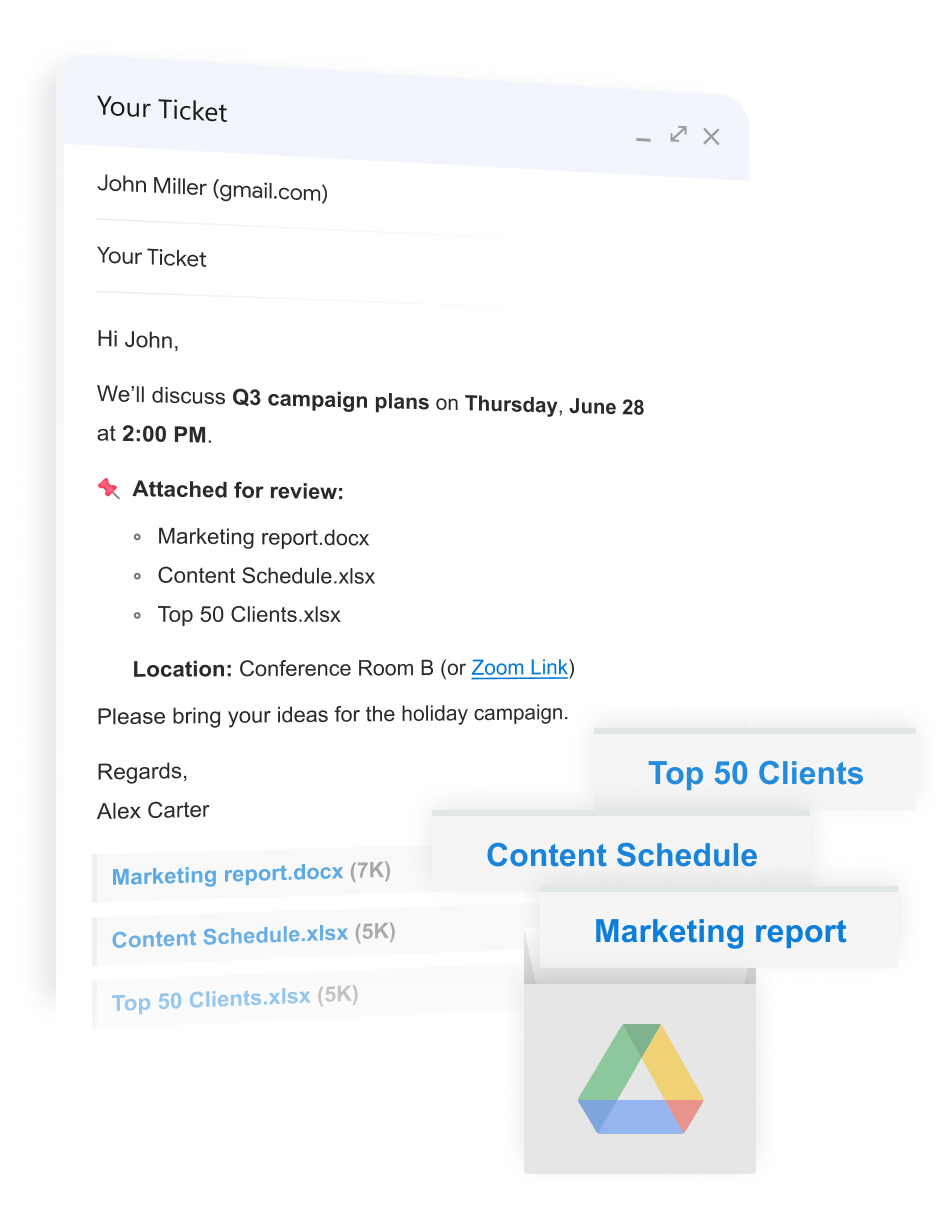
Link attachments to your templates so you never lose them.

Auto-attachments

The right file attaches itself.

  • Add files from Google Drive or by URL
  • Choose between sending a direct attachment or a shared Drive link
  • Convert Google Docs and Sheets as Word and Excel files
  • Insert the template, and its files are already there
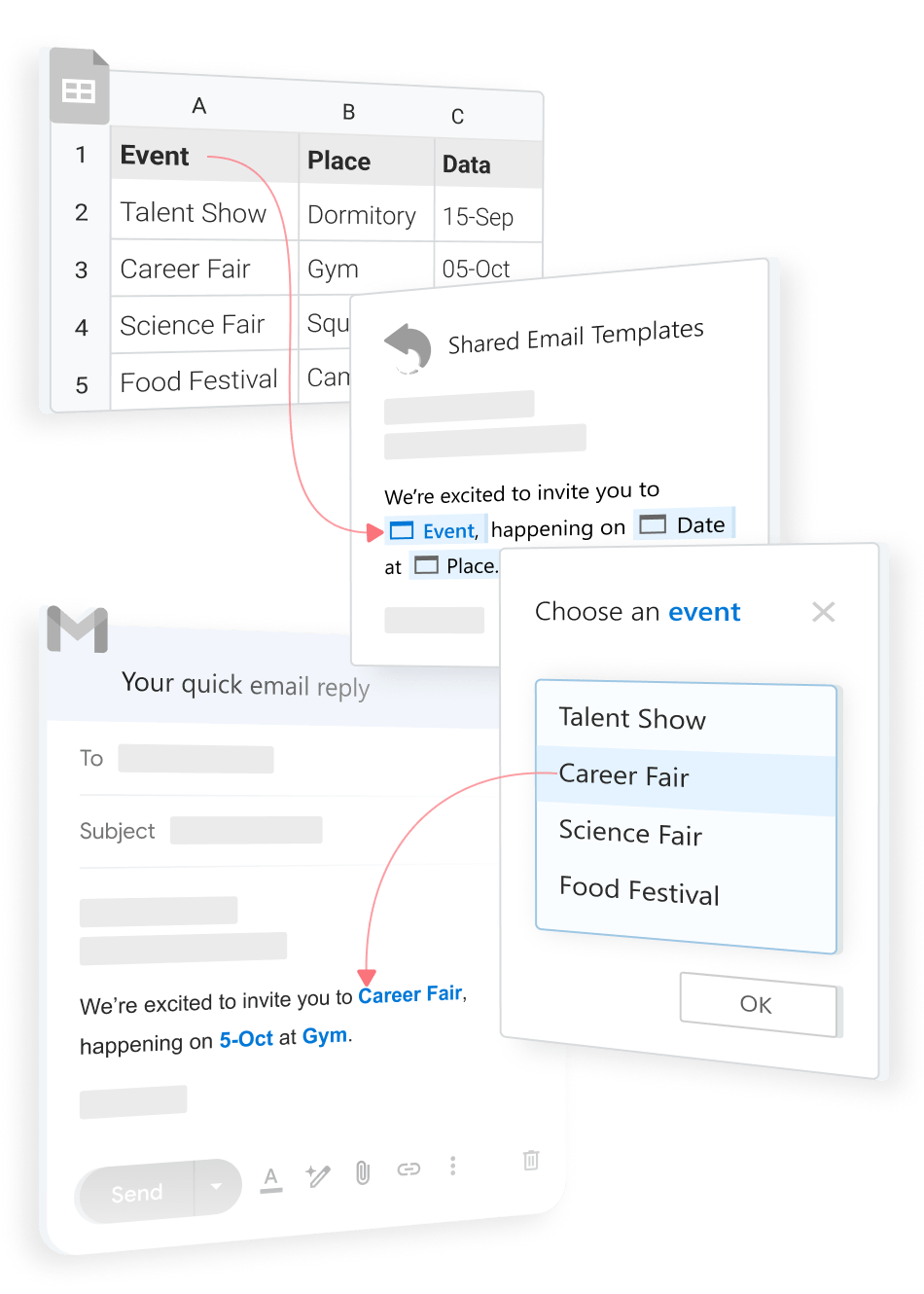
Automate workflow with data integration directly from Google Sheets.

Google Sheets data

Details come straight from Google Sheets.

  • Connect a sheet you already keep
  • Choose an event, a customer, or a product
  • Pull its date, time, price, link, or any other column in one go
  • Send a finished email, filled in from your spreadsheet
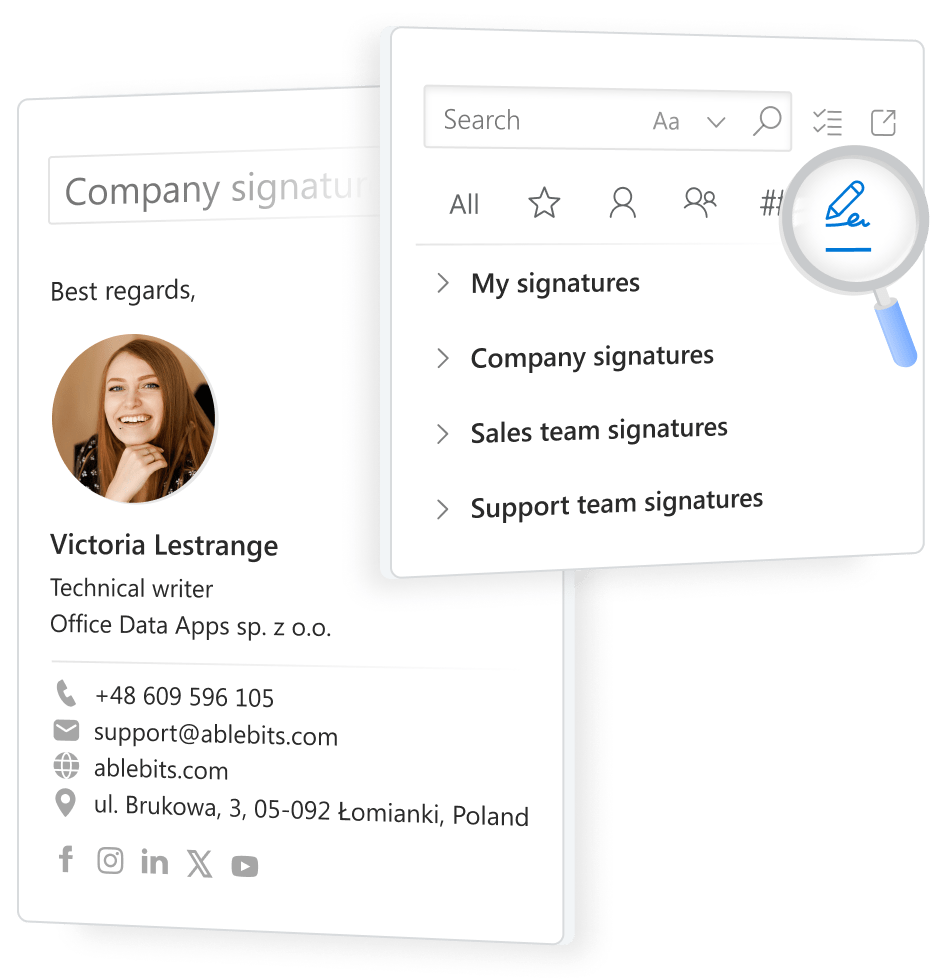
Create and manage your personal, company or team signatures.

Email signature manager

One signature standard for everyone.

  • Create company, team, and personal signatures
  • Start from designed layouts or use your own HTML
  • Add banners and update them for the whole team at once
  • Switch between signatures in one click
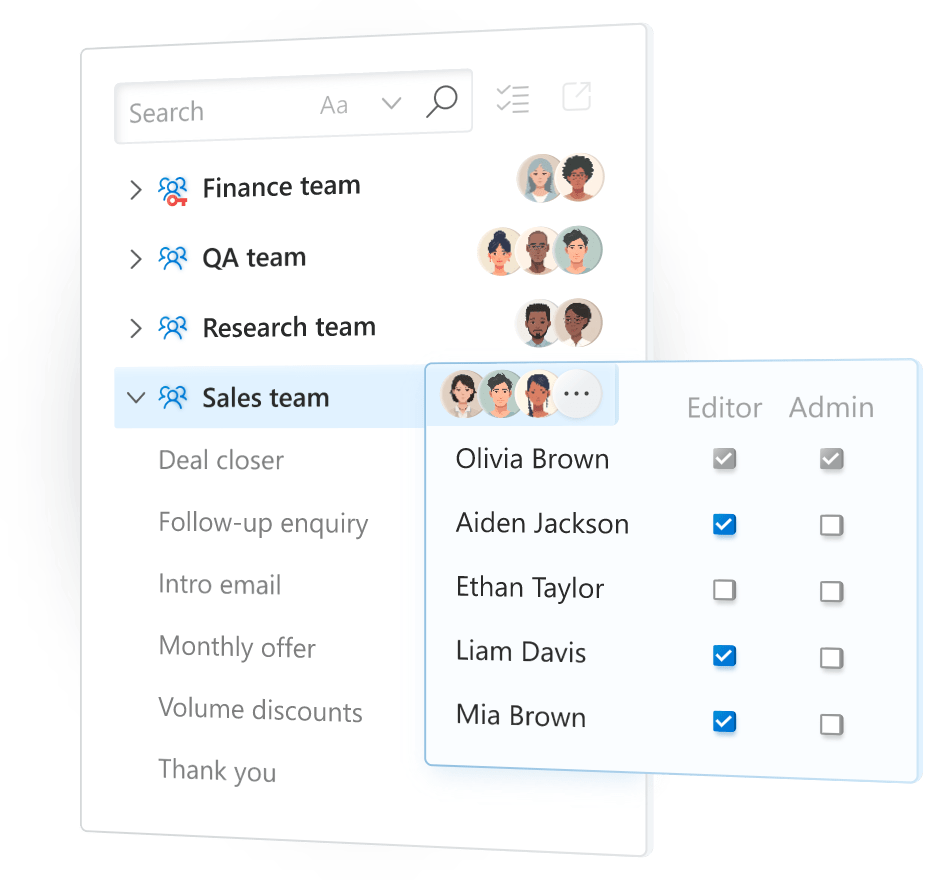
Share your templates with the team and manage permissions for them.

Team collaboration & access control

Share templates with your team, and control who can do what.

  • Create a team and add people from Google Workspace
  • Give each person view or edit rights
  • Edit a template once, and everyone has the latest version
  • Protect a team with a password that is never stored on our servers

More features

Template shortcuts

Give a template a ##name and drop it into any email as a ready-made block.

Nested templates

Insert one template into another to build long emails from reusable parts, like greetings, disclaimers, or footers.

HTML editor

Edit the HTML source of a template or signature to build branded layouts.

Macros

Go beyond fillable fields with ready-made macros that automate everything from dates to attachments.

No vendor lock-in

Export your templates anytime, even after your subscription ends, and import them back from a backup.

Rich templates

Add images, tables, lists, links, and CTA buttons, then attach files or share Drive links with the access level you choose.

Who is Shared Email Templates for?

Built for teams and professionals who send similar emails again and again

Customer support

Keep approved replies in a shared library, show the right text for refunds or delays, and fill in customer and order details in seconds

Sales

Attach the right pitch deck, pull the latest client info and pricing straight from Google Sheets, and add your CRM’s Bcc address automatically

Recruiters & HR

Schedule interviews with date pickers, switch text by candidate stage, attach the right documents, and sign with the company signature

Agencies & account managers

Organize templates by client or project, share them so any account manager can step in, and add your signature banner for everyone

Event & education

Pick an event from your spreadsheet and fill in date, time, and location at once, add a clickable map, and send with the agenda attached

Finance & admin

Send payment reminders with approved wording, enter amounts and due dates in the right format, and attach the invoice in one click

Small business owners

Personalize subject and greetings automatically, write emails in seconds with pre-saved ##shortcuts, add your professional email signature

Choose your subscription plan

60-day free trial. No credit card required.

Free Trial

$0.00

Free

Templates and folders*
2,500
Team size (up to)
Unlimited
Teams per user
4
Managed teams
Unlimited
Subscription duration
60 days trial period
Get it from Chrome Store (opens in a new tab)

Business

$3.00
$6.00

per user / month
billed annually

per user / month
billed monthly

Templates and folders*
1,500
Team size (up to)
Unlimited
Teams per user
3
Managed teams
Unlimited
Subscription duration
12 months
1 month
Subscribe (opens in a new tab)Subscribe20+ users (opens in a new tab)

Enterprise

$4.00
$8.00

per user / month
billed annually

per user / month
billed monthly

Templates and folders*
7,000
Team size (up to)
Unlimited
Teams per user
6
Managed teams
Unlimited
Subscription duration
12 months
1 month
Subscribe (opens in a new tab)Subscribe20+ users (opens in a new tab)

* Total number of folders and templates the user can use personally and in all your teams. Not to impact Google Chrome performance, each team has a limit to the number of items: 1,024 in Enterprise subscription, 512 in all other subscriptions.

60-day free trial

No credit card required